Microsoft Outlook Add-In

Modified on Wed, 26 Aug at 9:19 AM

Systam Visit integrations

Microsoft Outlook Add-In

Invite guests straight from your own Outlook calendar, no extra steps needed. The Invites by Systam add-in sends the visit details to Systam Visit as soon as you create the calendar invite, giving your guests a smoother arrival.

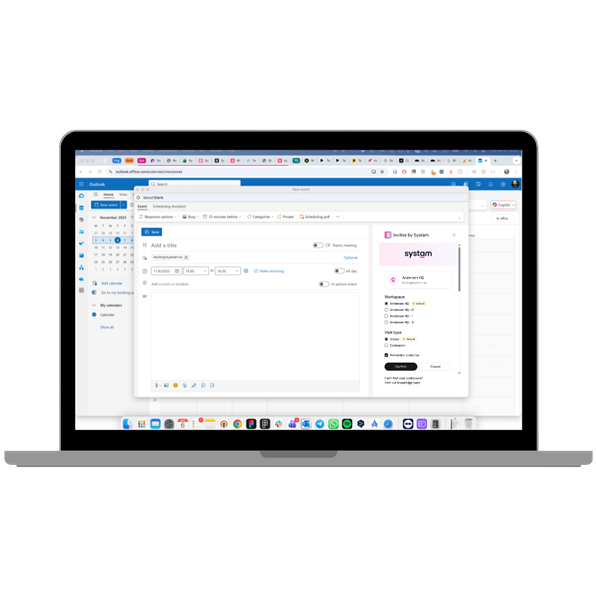
Creating a calendar invite on a laptop

How it works

  • The Microsoft Outlook add-in brings visitor management into the calendar invite, without manually adding a unique invite address.
  • The add-in is easy to use: click the extension in the calendar view while creating the invite, and the guest automatically receives a pre-arrival message with arrival instructions along with the invite.
  • Through the pre-arrival message, the visitor can fill in their details in advance and gets a personal sign-in code for a smooth, fast check-in at the kiosk or reception desk.
  • The add-in also sends the visit details automatically to Systam Visit, giving reception full visibility into upcoming visits and visitor details.
The Invites by Systam add-in in an Outlook calendar invite

Setup and requirements

  • The Invites by Systam add-in is compatible with Outlook (Microsoft 365).
  • Create a calendar invite as usual: the Outlook Add-In automatically adds the correct invite address as a recipient, based on the workspace you choose.
  • The add-in can be deployed centrally to users by IT.
  • Setup is quick and doesn't require separate training: we guide you through installation and setup.

Pricing: The add-in's monthly fee is billed as part of the Systam Visit service.

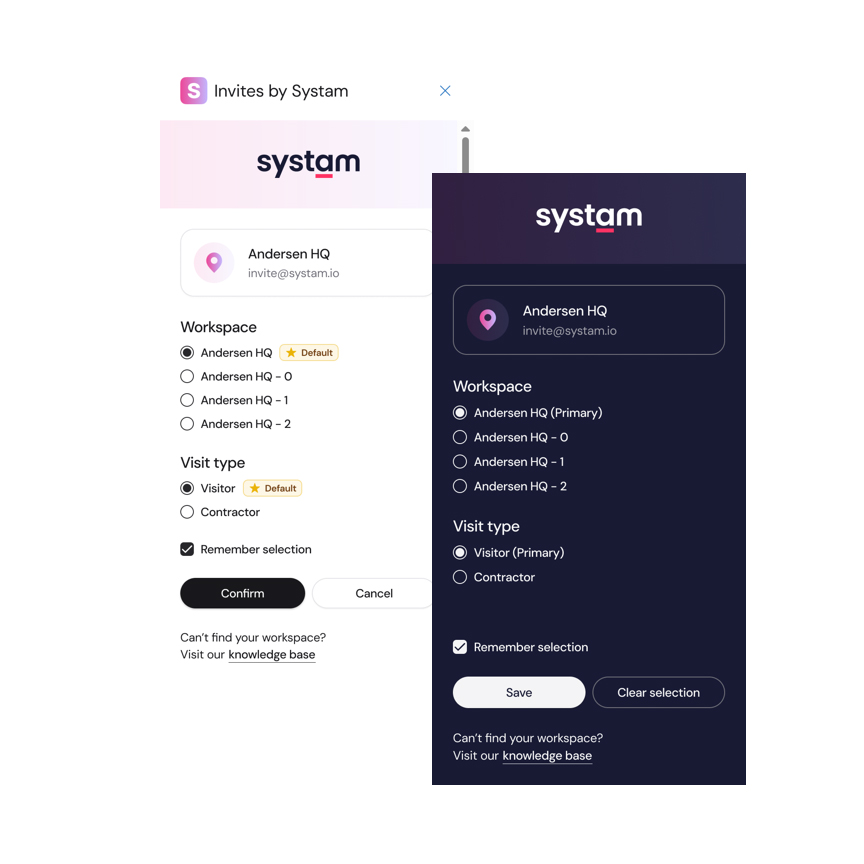
You can choose the workspace and visitor type to invite your guest through Choosing the workspace and visitor type in the mobile view

Get in touch

sales@systam.fi  |  +358 10 470 3600

Was this article helpful?

That’s Great!

Thank you for your feedback

Sorry! We couldn't be helpful

Thank you for your feedback

Let us know how can we improve this article!

Select at least one of the reasons
CAPTCHA verification is required.

Feedback sent

We appreciate your effort and will try to fix the article