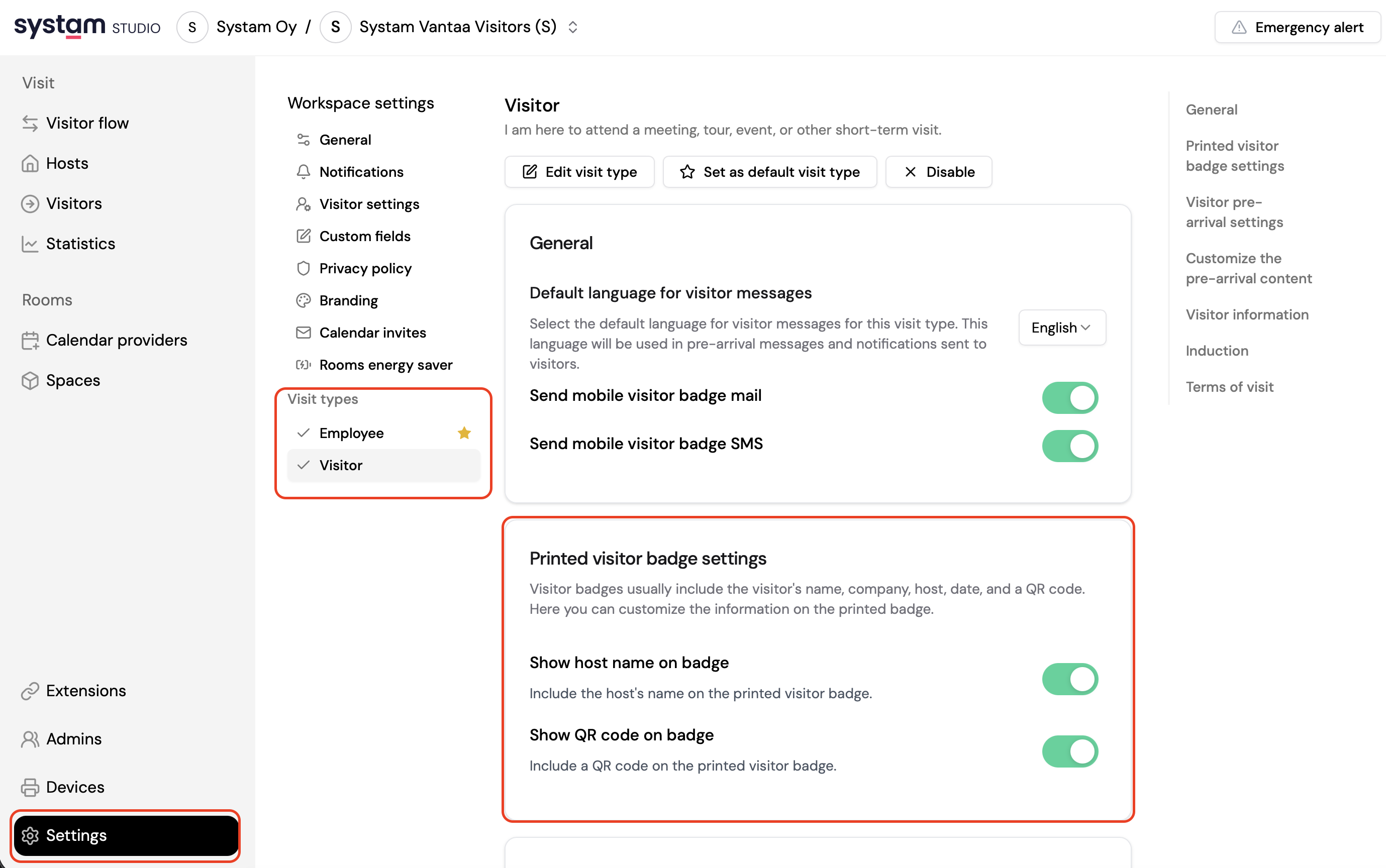
The settings for printed visitor badges let you customize what information appears on the badges. You can adjust the badge content and remove certain elements, such as the host’s name or the QR code. This can be useful if you want a simpler badge layout or have specific privacy requirements.
- Log in to Systam Studio at app.systam.io
- Go to Settings.
- Navigate to Visit types and choose the visit type you want to edit.
- Scroll to Printed visitor badge settings and adjust the settings. You can:
- Include or exclude the host’s name.
- Include or exclude the QR code.
- Save changes.
That’s it — your visitor badge settings are ready to go.
Related articles
Was this article helpful?
That’s Great!
Thank you for your feedback
Sorry! We couldn't be helpful
Thank you for your feedback
Feedback sent
We appreciate your effort and will try to fix the article